
What Booking Integrations Are Available in Foodzilla?
Foodzilla Bookings can connect with your calendar, video meeting tools, and payment provider so appointments stay synced and meeting links can be created automatically.
How to Access Booking Integrations
- Go to Forms & Bookings
- Open the Bookings tab
- Select Integrations
From here, you can connect and manage your calendar, video conferencing, and payment integrations.
Calendar Integrations
Foodzilla supports:
• Google Calendar
• Outlook / Microsoft 365 Calendar
Connecting your calendar helps Foodzilla sync appointments and check for scheduling conflicts automatically.
This reduces the risk of double bookings and keeps your Foodzilla bookings aligned with your external calendar.
Video Meeting Integrations
You can connect or use:
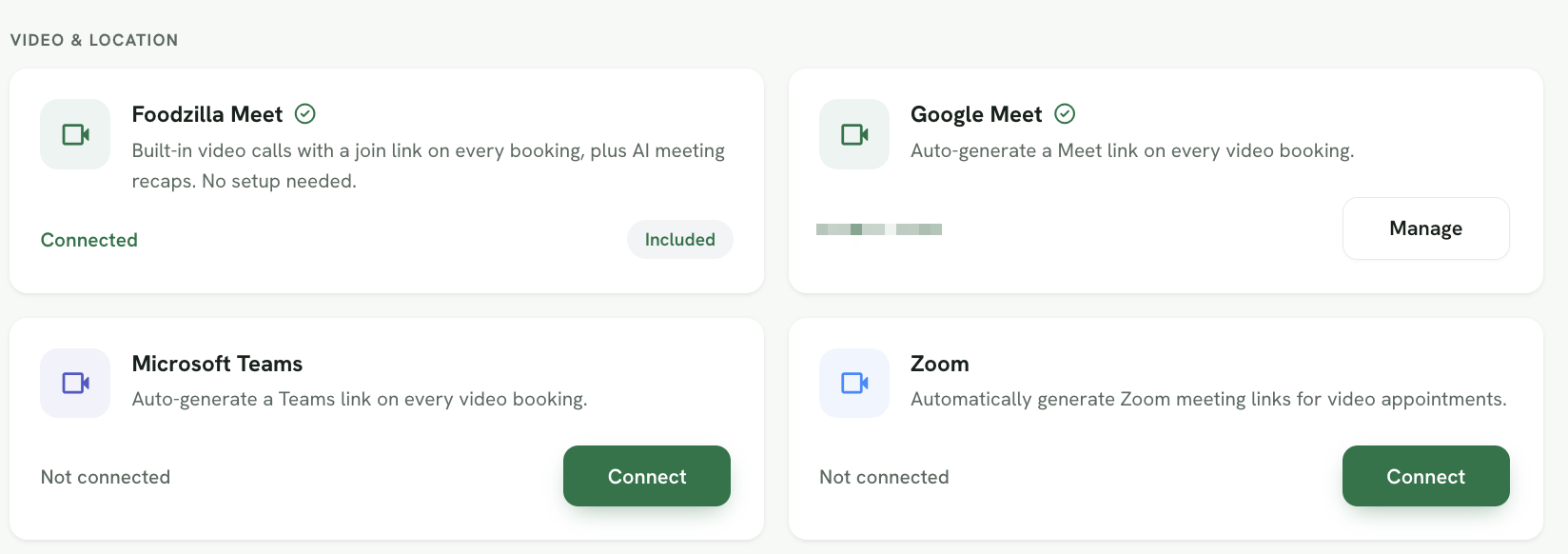
• Foodzilla Meet
• Google Meet
• Microsoft Teams
• Zoom
When a supported video option is connected to a booking type, Foodzilla can automatically generate a meeting link for each video appointment.
Foodzilla Meet is built in and requires no additional setup. It also supports AI meeting recaps.
Payment Integration
Foodzilla uses Stripe to accept payments for paid bookings.
Once your Stripe account is connected, you can use it to collect payments when clients book eligible services.
Managing Integrations
Connected integrations will show their current status.
Use Connect to add a new integration or Manage to update an existing connection.
Why Use Booking Integrations?
Booking integrations help you:
• Keep appointments synced with your calendar
• Avoid scheduling conflicts
• Automatically create video meeting links
• Accept payments during booking
• Reduce manual admin between different platforms