
Conditional Fields in Forms
Conditional fields let you show a follow-up question only when it is relevant, based on how your client answered an earlier question. Instead of a long form where half the questions do not apply, your client sees a short form that adapts to them as they go.
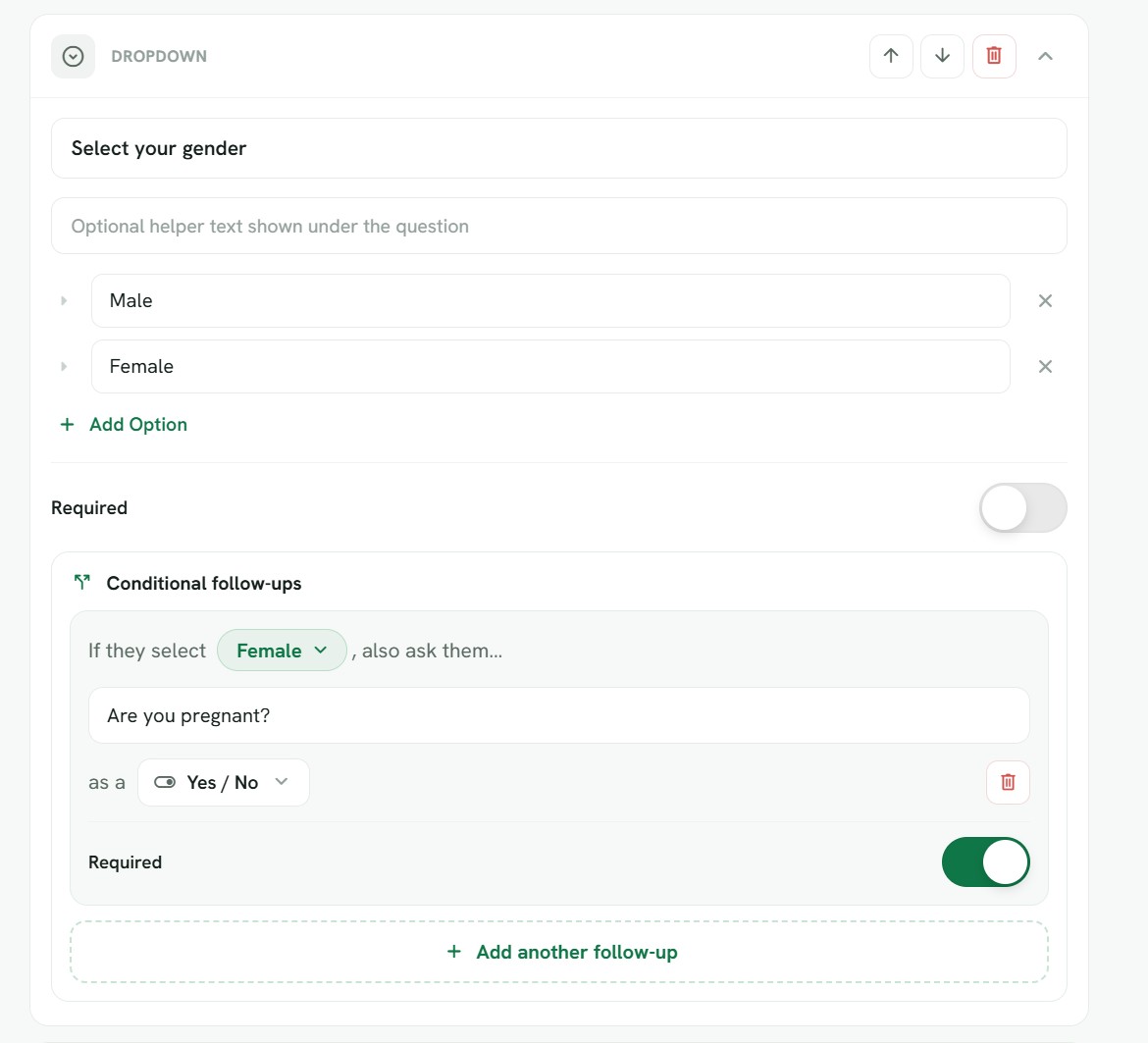
Why use them
Imagine you ask "Do you have any allergies?". If the answer is No, there is no reason to ask which allergies. With a conditional follow-up, the "Which allergies?" question only appears when the client answers Yes. The form stays short for people it does not apply to, and detailed for the people it does.
How they work
A follow-up is tied to an earlier choice-style question, such as a Yes or No question or a single-choice question. You set a simple rule: when the earlier question is answered with a particular option, show this follow-up. If the client picks a different option, the follow-up stays hidden, and anything they might have started typing in it is not kept.
Because the follow-up only appears when its trigger answer is chosen, hiding a question also hides anything that depends on it. This keeps the whole form consistent, no matter which path a client takes through it.
Adding a follow-up
Inside the form builder, open the question you want to branch from and add a follow-up to it. You choose which answer should trigger the follow-up, then write the follow-up question itself, right there in place. Follow-ups live inside the question they belong to, so it is always clear which answer they are attached to.
You can use most question types as a follow-up, which means you can ask for extra text, a number, a date, a choice, and so on, all conditional on that earlier answer.
A few things to keep in mind
- A follow-up is never required while it is hidden. It only counts as required once it is actually shown to the client.
- Follow-ups always depend on an earlier question, so the question that controls a follow-up needs to come before it in the form.
- You can preview the whole thing from the Preview tab to see the branching in action. Pick different answers and watch the follow-ups appear and disappear, exactly as your client will experience it.
Keeping forms easy to fill in
The goal of conditional fields is a form that feels effortless. Clients only ever see what is relevant to them, which means fewer questions to wade through, less confusion, and a better chance they finish. For you, it means cleaner responses, because the answers you collect are always the ones that actually apply.