
Creating API Keys in Foodzilla
What is an API Key?
An API key is like a "password" or "access code" that allows two different computer systems to communicate securely. Think of it as a special key that grants access to specific features or data of another system. It ensures secure online access to certain data or services.
Foodzilla offers two API key types:
- Zapier API Key - can be used with Zapier triggers and actions (Available on Pro Plan and higher)
- Developer API Key - can be used with the Foodzilla Developer API endpoints (Available on the White Label plan and higher)
How to Create a Zapier API Key in Foodzilla
Zapier API keys are available only on the Professional plans or above. If you are on one of these plans, follow these steps to create an API key:
- Go to Integrations:
- Navigate to the Settings > Integrations page.
- Enable Zapier Integration:
- Click on the Zapier Integration toggle.
- Generate API Key:
-
Click on the Generate API Key button.
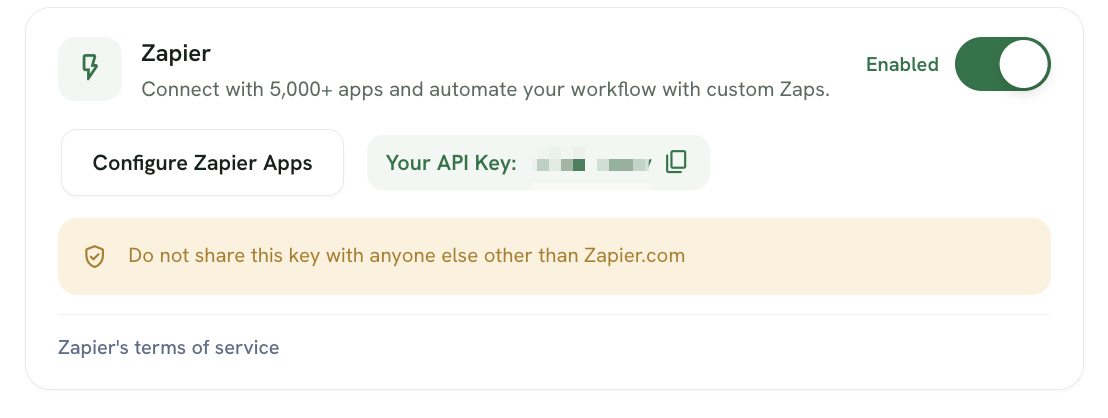
-
That's it! Your Zapier API key is now created. 👏
Important
- By connecting Zapier to Foodzilla, you agree to Zapier’s Terms of Service and Privacy Policy.
- Your Foodzilla Zapier API key should only be entered into Zapier.com when connecting your Foodzilla account. Do not share the key with anyone else or use it with another service.
- The Foodzilla Zapier API key only works with Zapier Triggers and Actions published on https://zapier.com/apps/foodzilla/integrations
What Can You Do with the Foodzilla Zapier API Key?
Once you generate your API key, you can use it with Zapier to automate tasks between Foodzilla and over 6000+ business apps, including:
- Gmail
- Mailchimp
- Stripe
- Trainerize
- Dropbox
- Google Drive
- Practice Better
- Acuity Scheduling
- And many more!
TIP: Automating tasks with Zapier can streamline your workflow and improve efficiency by connecting Foodzilla with your favorite apps.
If you have any questions or need further assistance, feel free to contact us through the green chat bubble. 👋