
Does the Foodzilla Mobile App Track Exercise From Fitbit, Polar, Apple Health, and Garmin?
Yes. The Foodzilla mobile app can track exercise and activity data from supported fitness devices and health apps, including Fitbit, Polar, and Apple Health.
Garmin integration is coming soon.
This allows clients to bring activity data into Foodzilla alongside their nutrition, health, and progress tracking.
Supported Fitness Devices and Health Apps
Foodzilla currently supports:
• Fitbit for data such as calories, steps, heart rate, elevation, and activity duration
• Polar for calories, heart rate zones, steps, and training sessions
• Apple Health for supported health and activity data
• Garmin is coming soon, with support planned for activity data, calories, steps, heart rate, and workouts
Connected device data can be included alongside the client’s nutrition and activity information in Foodzilla.
How to Enable Fitness Device Integrations
- Open the Foodzilla Mobile App:
- Launch the Foodzilla app on your mobile device.
- Go to the "Profile" Tab:
- Tap on the "Profile" tab at the bottom of the screen.
- Access App Connections:
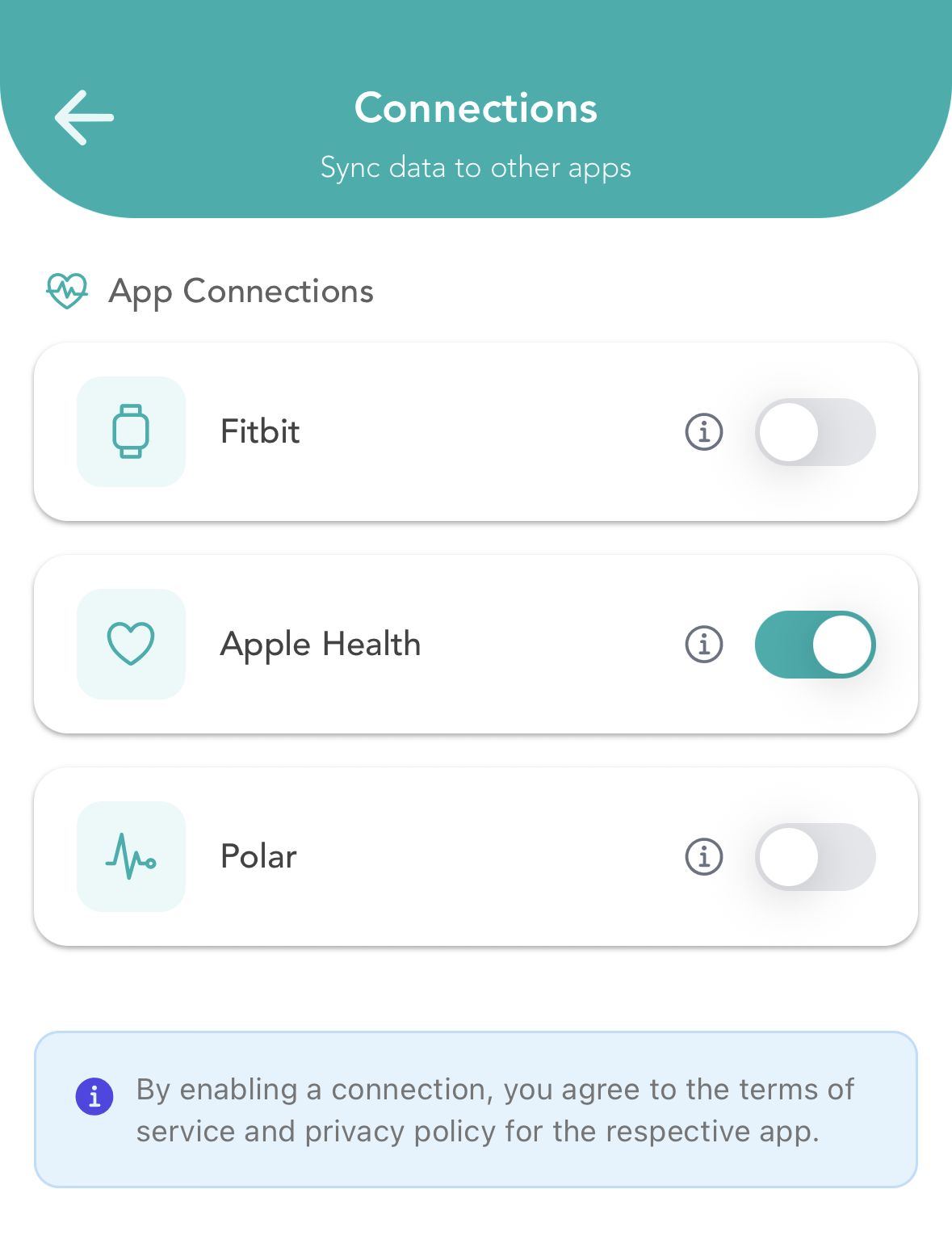
- Tap on "App Connections".
- Enable Device Integrations:
-
Select the available app or device integration (e.g., Fitbit, Polar, Apple Health) and turn it on.
-
Can Clients Track Exercise Manually?
Yes. Clients can also manually log exercise and steps directly in the Foodzilla mobile app if they do not use a connected fitness device.
This gives clients the flexibility to track activity either automatically through supported integrations or manually within Foodzilla.
