
Can I Add Foods and Ingredients Directly to a Meal Plan?
Yes. In Foodzilla, you can add individual foods or ingredients directly to a meal plan without creating a recipe first.
This is useful when you want to build a flexible food based plan and let your client decide how to combine or prepare the foods.
How to Add Foods to a Meal Plan
- Open an existing Meal Plan or create a new one.
- Go to the meal type you want to edit, such as Breakfast.
-
Click Add Food.
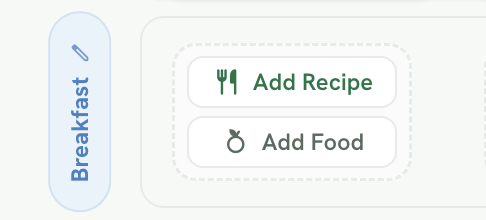
- Search for the food or ingredient you want to include.
- Select the item and add it to the meal.
You can add multiple foods to the same meal type, with up to 10 items per meal category.
When to Use Add Food Instead of Add Recipe
Use Add Food when you want to include individual items such as fruit, yoghurt, eggs, bread, supplements, or other standalone foods.
Use Add Recipe when you want to include a complete recipe with multiple ingredients and cooking instructions.
Adding foods directly can be helpful for simple meal structures, flexible eating plans, snack ideas, or plans where clients prepare meals in their own way. 💕
For any further assistance or questions, feel free to contact us through the green chat bubble. 😉